SquawkIt - The App I Built to Track My Build
TLDR
- I wrote a maintenance tracking app called SquawkIt. It’s now on Android, iOS and the web.
- I’ve been using it to track squawks and TODOs on my Sling TSi instead of a spreadsheet.
- It’s free to try. Links at the bottom.
Details
A few of you have noticed me mentioning “my tracking app” in recent posts (the brake not holding at 4000 RPM, the fuel pressure saga). Time for a proper introduction.
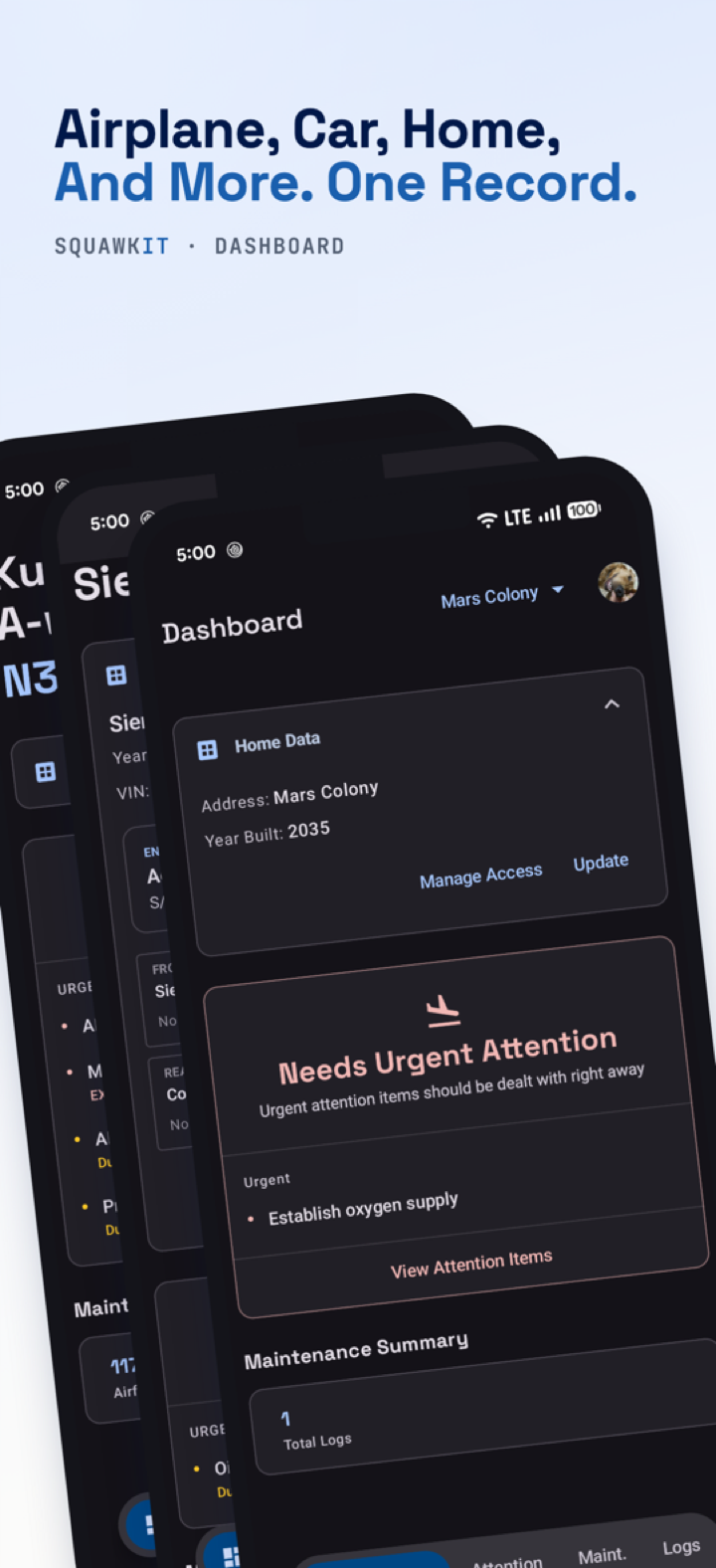
Why I built it
When the build got to the engine start stage, the nature of my TODO list changed. Before it was just “follow the manual, do the next step”. Now it’s a pile of small squawks: brake doesn’t hold, fuel pressure too high, a fitting weeps, that one wire still needs a label, etc.
I don’t want to keep these in a spreadsheet, as it gets messy really fast. No photos, no history, and half the time I forgot to update it after fixing something in the hangar. Then a week later I’d stare at the same line and wonder, did I fix this already?
I’m a software engineer during the day, so naturally I procrastinated on the airplane and wrote an app instead :)
Dashboard
One screen that tells you the state of the airplane. Anything overdue or AOG floats to the top. Airframe, engine and prop time are 3 separate meters, so the hour-based items count down correctly for each.
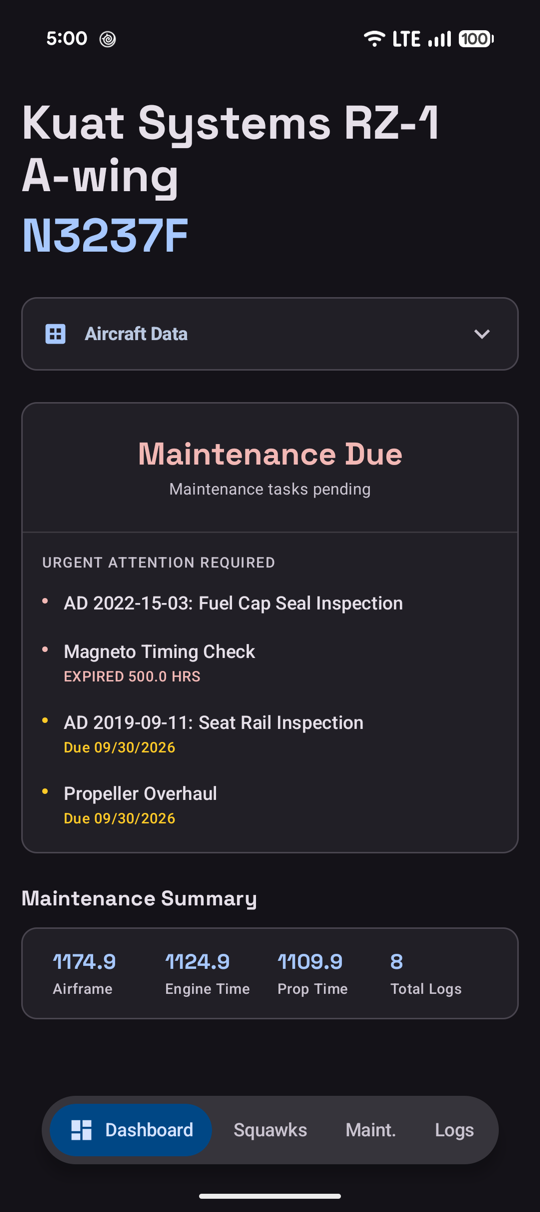 Dashboard. Overdue and due-soon items go straight to the top
Squawks
This is the part I use the most. Whenever I find something during a ground run, it goes in as a squawk right there in the hangar, with a photo. Each squawk has a priority from Low all the way to AOG, and you can tag it to the engine, prop, or airframe.
When I fix it, I log the work and close the squawk from that work log. So there is always a trail of what was wrong, what I did, and when.
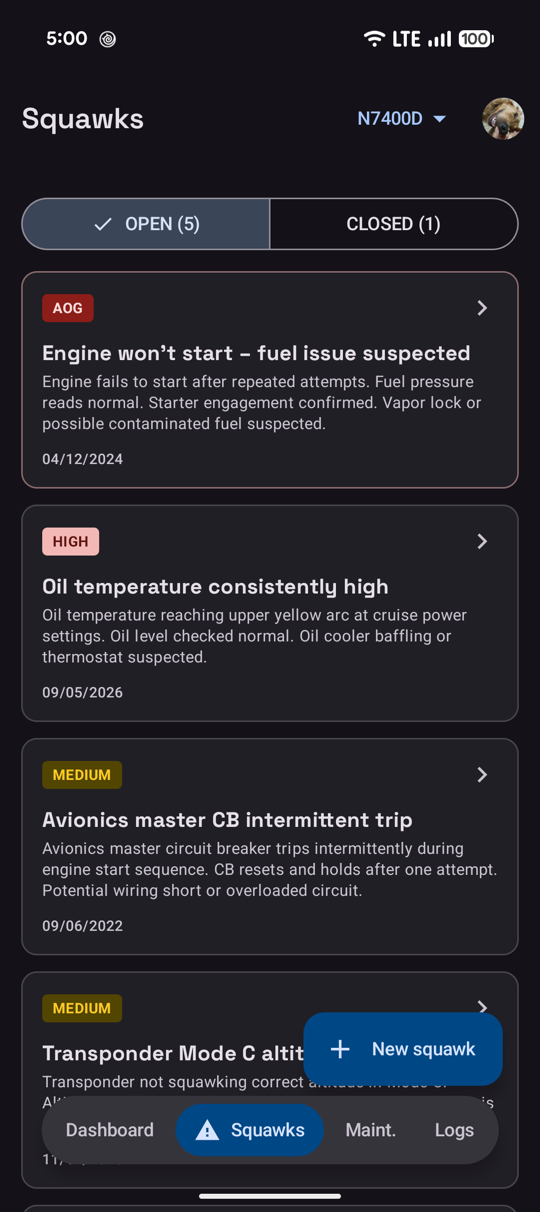 Open squawks, sorted by priority
Maintenance schedule
Recurring tasks come due by calendar, by hours, or on condition. When you add an airplane you get a starter schedule of the usual suspects: annual / condition inspection, ELT, transponder and pitot-static checks, oil and filter every 50 hours etc. You can edit or delete any of them and add your own (ADs, service bulletins, whatever your engine manual says).
I’ve already loaded the Rotax schedule for mine. The engine only has a few ground runs on it, but I’m logging the time from day one so the 50 hour items count down from the real number.
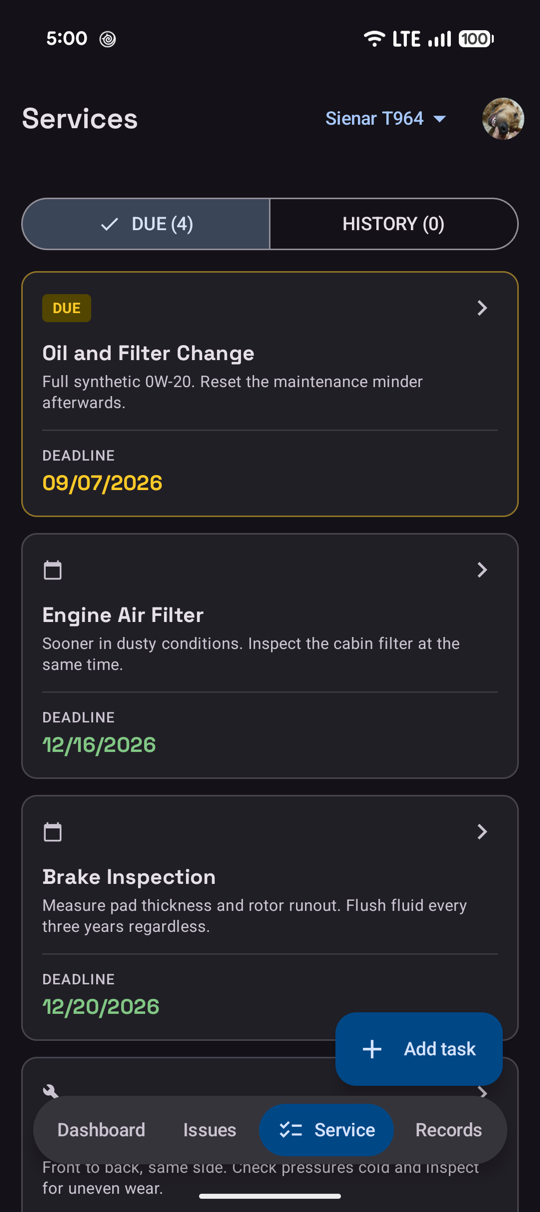 Maintenance tasks (this one is the car preset, same idea for the airplane)
Work logs with photos
Every work log can carry photos and documents. Logbook pages, invoices, inspection reports, or just a picture of the torque stripe. It’s attached to the entry it belongs to, not floating in a random album on my phone.
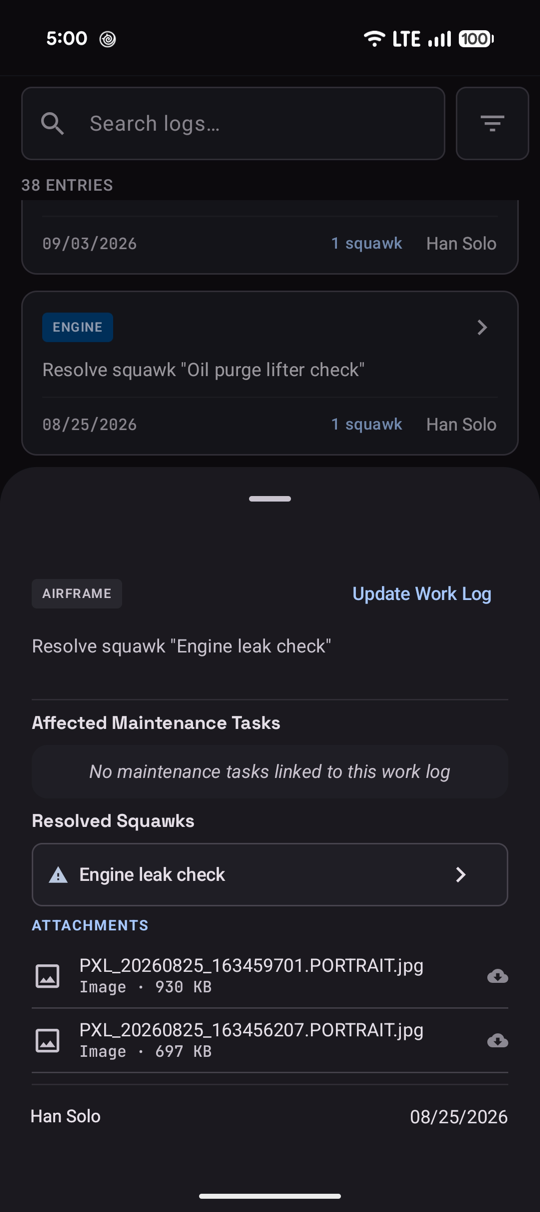 A work log that resolved a squawk, with photos attached
Works offline
My hangar has terrible cell signal. Everything is written to the phone first and syncs to the cloud when it gets a signal back. Sign in with Google or Apple and the same data shows up on your phone, tablet and the web.
Sharing
You can invite someone to one airplane (not your whole account) with a code. Your A&P, a co-owner, or the DAR who is about to look at your build. They see the same squawks and schedule and can log work against it, and their sign-offs stay attached to the record. You stay the owner.
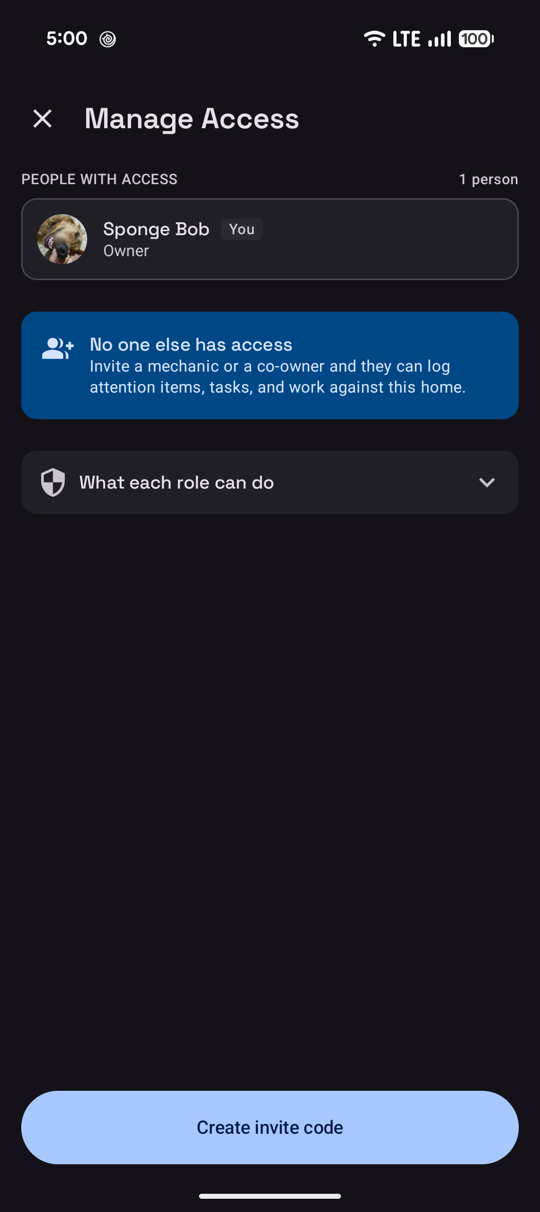 Manage access. Invite with a code
Export
You can download the whole history as a zip with a PDF, a CSV, a spreadsheet, and all the attachments. Handy for a backup, a pre-buy, or when you sell the airplane one day.
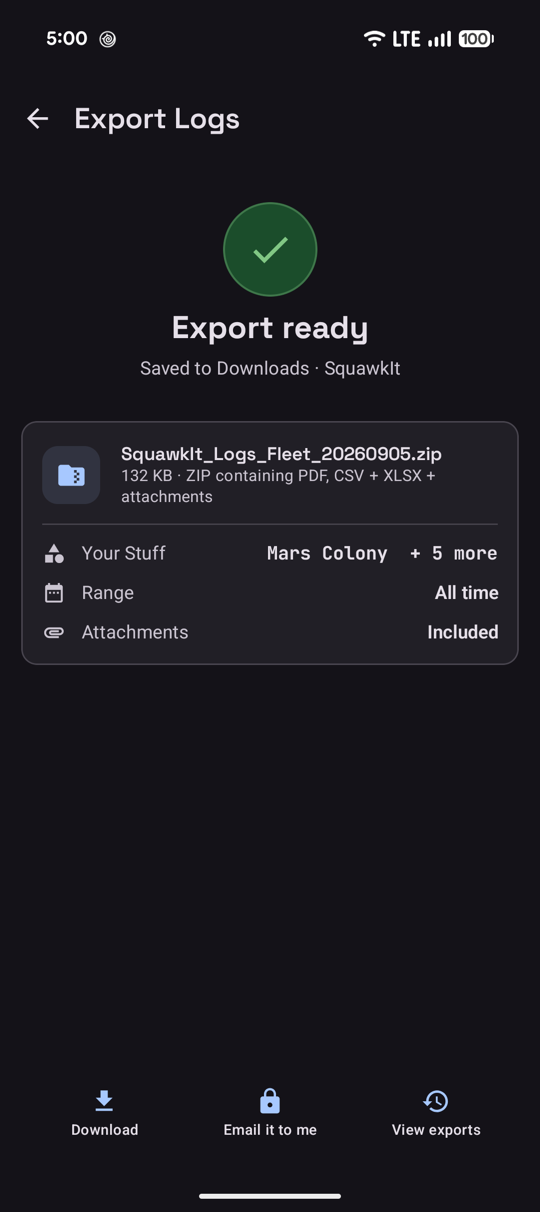 Export everything, including attachments
A few honest notes
- This is a personal convenience tool. It does NOT replace the official logbooks that the FAA wants to see. Treat the export as a backup.
- The free tier has ads. There is a subscription that removes them. That’s how I pay for the servers.
- It also does cars, boats, bikes and home maintenance. I built it for the airplane first, but once the airplane part worked, I figured the house water heater deserves a schedule too.
Links
Shameless plug time. If you are building or already flying and you’re tired of the spreadsheet, give it a try and tell me what’s broken. I read every piece of feedback.
- Android: https://play.google.com/store/apps/details?id=dev.fanfly.wingslog
- iPhone / iPad: https://apps.apple.com/us/app/squawkit/id6801955033
- Web: https://squawkit.fanfly.dev
Now back to the fuel pressure problem.